If you're wondering what are the best generative ai tools, start with the job, not the longest feature list. ChatGPT is a versatile starting point for drafting and problem-solving; Claude is worth considering for working through long documents; and Google Gemini makes sense for people already working in Google's ecosystem. For research with sources, try Perplexity. For presentation graphics and social posts, look at Canva's AI tools. Most people do not need all five.
My practical recommendation: choose one general assistant, give it a real but low-stakes task, and see whether its output saves you a useful amount of editing. A tool that produces a gorgeous first draft but takes longer to correct than the original job is not helping, even if the demo was impressive.
What are the best generative ai tools for writing and planning?
ChatGPT is a sensible first stop when your work changes throughout the day. You can ask it to turn rough notes into an email, suggest questions for a project kickoff, or help untangle a complicated plan. Give it context and a clear audience: “Turn these notes into a short update for a client. Flag any missing decisions rather than inventing them.” Review the result for confident-sounding additions that weren't in your notes.
Claude is another strong option when the task involves substantial text: a lengthy brief, a set of meeting notes, or a document that needs a clearer structure. Ask it to identify contradictions or extract decisions, then check those observations against the original. A long document can still contain details an assistant misses, and upload limits and available features depend on the plan.
Gemini is worth a look if your work already lives in Google services. Depending on your subscription and account settings, its integrations may help you work with content across Google's products. Check what your particular account supports before assuming it can see a document or email. The convenience is real only when you don't have to spend the afternoon troubleshooting access.

Microsoft Copilot is a similar candidate for people whose work happens in Microsoft 365. If your organization has enabled the relevant features, it may fit more naturally into documents, email, and meetings than a separate chat window. Access, permissions, and capabilities vary by product and license, so ask your administrator what is actually available. An integration is less appealing if getting approval requires three committees and a new budget line.
For any of these assistants, begin with a repeatable task you already understand. Drafting a weekly status update is a better first experiment than asking a chatbot to redesign your entire operating model. You know what a good update should contain, and you can catch errors before they travel.
Research tools: useful starting points, not final authorities
Perplexity is designed around answers that can include links to sources, making it useful when you need a quick starting map of an unfamiliar topic. Ask a focused question, open the linked material, and check whether the source actually supports the answer. A citation next to a sentence is not proof that the source says what the assistant claims.
For a purchase decision, for example, ask for the factors that distinguish two categories of software, not just a declaration that one is best. Then confirm pricing, security terms, and feature availability on the vendors' own pages. Product details change too quickly to outsource that final check to a generated summary.
A general assistant can help with research too, particularly if it offers web access on your plan. The important distinction is whether it can show you where a claim came from and whether you can inspect that source. If it supplies a statistic without a verifiable origin, leave the number out.
Images, presentations, and meeting notes
Canva's AI tools are a practical option for someone making simple visual materials without a design team. They can help generate or reshape visual content within a broader design workflow. Start with a specific use, such as a draft event graphic, and check text, dates, and visual details before sharing. Generated images can look polished while getting a hand, a logo, or a meaningful detail very wrong.
Adobe Firefly is another option for people who want generative image features in an Adobe-centered workflow. It may be a better fit when the image is only one part of a more involved creative project. Review the applicable commercial-use terms and your organization's policies before using generated assets in client work; those terms can differ by feature and plan.
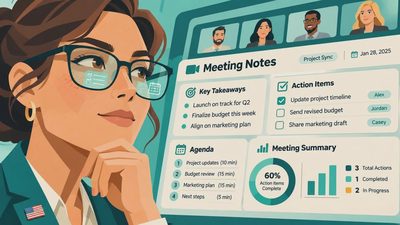
For meetings, consider the AI note-taking features already available in your conferencing or workplace software before adding another service. They can turn a transcript into a summary and proposed action items, but a proposed owner is not the same thing as an agreed owner. Compare the notes with what participants actually decided, especially when a conversation includes tentative ideas or changes direction.
Tell attendees when recording or transcription is happening, follow workplace policy, and check the consent requirements that apply where participants are located. Some conversations should not be recorded at all. If the meeting is a sensitive personnel discussion, a human-written summary may be the more appropriate tool.
A small test that survives an ordinary week
Use the same low-stakes task with one or two candidates. For instance, paste in a fictional project update and ask each tool for a five-sentence summary, unresolved questions, and a draft email to the team. Notice how much context you had to supply, whether it invented decisions, and how long the cleanup took. You don't need a spreadsheet with seventeen scoring categories; a note saying “useful draft, missed the deadline” will do.
Before pasting real material, check your employer's rules and the service's privacy settings. Consumer and business accounts can have different data-handling terms. Avoid putting confidential client information, personnel records, passwords, or family identifiers into a tool unless you have permission and understand the applicable settings. Anonymized or fictional examples are safer for an initial trial.
Finally, check the free tier, paid plan, and any usage limits on the provider's own site. The best choice is often the assistant you can access where you already work, provided it handles your task well enough. Pick one, use it for a week, and let the extra subscriptions wait. Will this still work on Tuesday?



No comments yet — be the first to share a thought.