
AI appears in almost every conversation about improving operations. Some of the claims are overstated. Some of the tools create more cleanup than relief. After using AI across real client engagements—meeting follow-up, research, documentation, and light process support—I have a clearer sense of where it reliably reduces friction and where it still falls short under ordinary working conditions.
This is not a comprehensive survey of AI capabilities. It is a field report from the places I have actually tested the tools with small teams and in my own consulting work. The standard remains the same: does the AI step make the work lighter on a normal Tuesday, or does it simply move the effort somewhere else?
I’m Audrey Whitlock. I live in Denver with Jake, Noah, Sophie, and Cooper. My work focuses on helping small teams reduce operational friction without adding unnecessary software or process. AI is useful in that context only when it survives contact with incomplete information, shifting priorities, and the normal interruptions of real work.
The Filter I Use for Client Operations
Before adopting any AI step in a client workflow I ask three practical questions:
Does it reduce the time or attention required for a recurring task?
Does the output still need heavy human correction under real conditions?
Would I trust the result enough to act on it without rebuilding it from scratch?
If the answer to the second question is regularly yes, or the third is no, the tool has not yet earned a permanent place. This filter has kept the useful applications and eliminated several that looked promising in demos.
Places AI Has Proven Genuinely Helpful
A handful of applications have consistently reduced friction rather than relocating it.
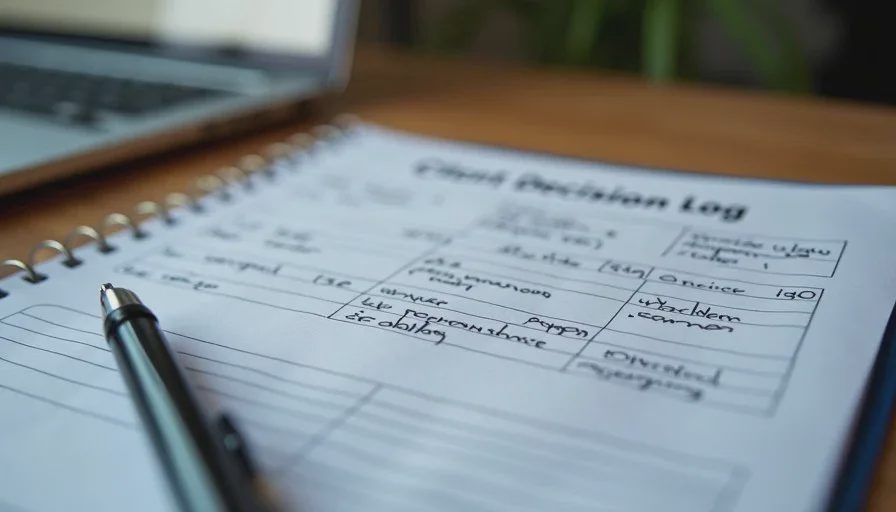
Turning messy meeting notes into usable decision logs
When meetings produce real decisions and action items, AI is effective at drafting a clean first version of a decision log. The human still reviews ownership and wording, but the initial structuring saves time. This works best when the meeting actually produced decisions; it adds little value for pure status or relationship calls.
First-pass research extraction
For gathering and organizing source material, AI can accelerate the mechanical work of pulling claims, evidence, and stated limitations into a consistent format. The human still performs the judgment and synthesis. Used this way, AI shortens the setup phase without replacing the evaluative step.
Drafting routine client-facing summaries
Status updates, simple progress notes, and standardized follow-up messages often follow predictable patterns. AI can produce a solid first draft that a human then adjusts for tone and accuracy. The time savings are modest but repeatable, especially across multiple clients.
Spotting missing owners or next steps
When reviewing notes or task lists, AI is often good at flagging items that lack a clear owner or a concrete next action. These flags serve as useful prompts even when the AI’s suggested fixes are not adopted.
Light process documentation from existing material
Turning a set of working notes or a recorded walkthrough into a first-draft process page is a task AI handles reasonably well. The human still edits for accuracy and completeness, but the blank-page problem shrinks.
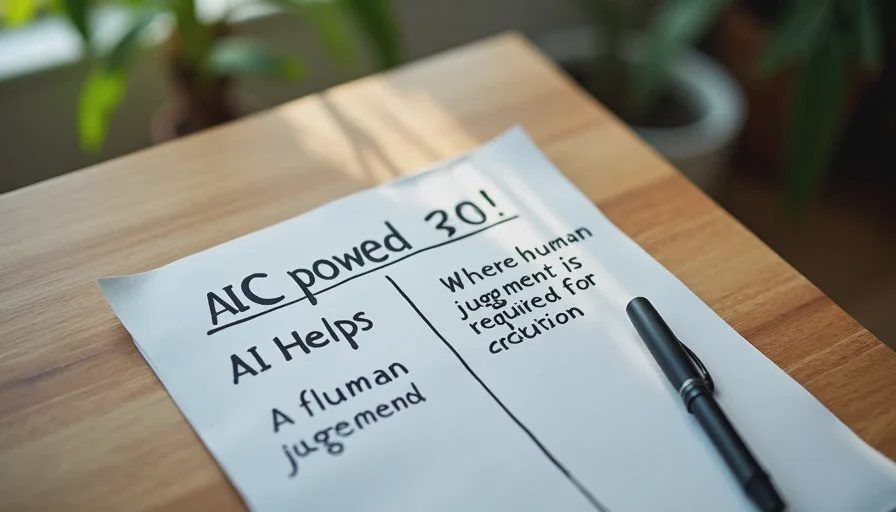
These uses share a common trait: AI performs structured transformation or extraction, and a human retains responsibility for judgment, context, and final wording.
Places AI Has Not Yet Earned Its Keep
Other applications have repeatedly failed the practical test.
Assigning final ownership or priority
AI can suggest owners and priorities based on who spoke or what appears urgent in the text. It cannot see capacity, informal agreements, or competing demands that never entered the transcript. Human assignment remains faster and more accurate.
Sensitive or high-stakes client recommendations
When the recommendation affects people’s roles, workloads, or relationships, the cost of a slightly off first draft is higher than the time saved by generating it. I still write the initial framing myself and use AI only for later tightening if needed.
Fully automated status reporting
End-to-end automation of status updates often creates brittle chains and outputs that require so much correction that the manual path is lighter. Partial assistance (drafting from structured inputs) works better than full automation.
Replacing judgment about what not to do
AI tools are designed to process and produce. They are less helpful at recommending inaction or deliberate omission. Deciding what can be ignored or deferred remains a human judgment that protects attention.
Complex multi-step workflows with shifting context
The more a process depends on unstated context or frequent exceptions, the less reliable full AI handling becomes. These workflows usually need lighter, human-centered designs rather than more automation.
Recognizing these limits prevents the common pattern of adding AI layers that look modern and then demand ongoing cleanup.
How This Shows Up in Real Client Engagements
In practice the highest-return uses of AI in client operations are narrow and repeatable. A team that adopts AI for decision-log drafting and first-pass research extraction often sees clearer documentation and less time spent on mechanical structuring. A team that tries to automate ownership, prioritization, and sensitive communication usually spends more time correcting outputs than it saves.
The difference is not the sophistication of the tool. It is the match between the task and what current AI does reliably well: transformation, extraction, and drafting within clear boundaries. Tasks that require reading unstated context or making judgment calls under ambiguity still favor human handling.
Jake’s filter applies here as elsewhere. If the AI step needs a system of reviews and corrections to stay safe, it may not yet be simpler than doing the task directly. The useful applications are the ones that remain lighter even after the human checkpoint.
Practical Guidelines I Now Follow
A few rules keep AI use productive in client operations:
Start with tasks that already have clear structure and low ambiguity.
Require a short human review for anything that will be seen by clients or used for decisions.
Prefer AI for first drafts and extraction over final judgment or ownership assignment.
Measure success by net time saved and error rate under real conditions, not by how impressive the output looks.
Drop any AI step that regularly requires rewriting more than half the output.
These guidelines are conservative by design. They favor reliability over novelty. In client work, reliability compounds; novelty often does not.
When to Revisit the Boundaries
AI capabilities change. The current boundaries are based on real use, not permanent principles. I revisit them when a new tool or model demonstrably reduces cleanup time on the tasks that previously failed the test. Until that evidence appears in actual workflows, the existing limits remain in place.
Selective, bounded use has proven more durable than broad adoption followed by quiet abandonment. The goal is not to maximize AI involvement. The goal is to maximize the work that moves forward with less friction.
Will This Still Work on Tuesday?
The applications listed as helpful continue to function under ordinary conditions: incomplete transcripts, shifting priorities, and the normal interruptions of client and family life. They require only short human checkpoints and do not collapse when the day is imperfect.
The applications listed as unhelpful remain unhelpful for the same reason: they demand more correction or context than they save. On a real Tuesday that difference is decisive.
AI earns its place in client operations only where it makes the work lighter without transferring the hard parts onto a future cleanup session. Everything else is still optional.
Make it useful. Make it human. Make it survive Tuesday.




No comments yet — be the first to share a thought.