
The automation had been working quietly for weeks. It handled a repetitive piece of client follow-up that used to take me twenty minutes after every set of calls. Then one Tuesday it simply stopped. A permission change on one end of the chain, a silent failure on the other, and the clean handoff I had come to rely on disappeared. What saved the week was not a clever fix to the automation. It was the deliberately boring backup plan I had written down months earlier and almost never needed.
I’m Audrey Whitlock. I live in Denver with Jake, Noah, Sophie, and Cooper. My consulting work involves building lightweight systems for small teams, and my own workflow includes a modest number of automations that earn their place only if they still function under ordinary conditions. This is the story of the week one of them failed, what the failure revealed, and why the backup mattered more than the original design.
How the Automation Earned Its Place
The process it supported was simple: after certain client calls I needed a consistent decision log and a short follow-up note. Doing it fully by hand was reliable but repetitive. The automation took the structured notes I already captured, formatted them, and placed them in the right shared location. When it worked, it removed a small point of friction without requiring me to think about it.
I had tested it under normal conditions. It survived ordinary interruptions, school pickups, and the usual context switching of a working parent’s day. That was the standard. An automation that only functions in ideal circumstances is not yet useful.
What I had not fully stress-tested was a complete, silent break in the middle of a dense week.
What Broke and How It Showed Up
The failure was ordinary. An upstream permission update on a connected account stopped the handoff. There was no dramatic error message in the moment I needed the output. The first sign was simply that the expected document did not appear. By the time I investigated, two client follow-ups were already late in my own queue.
The timing mattered. It was a week with overlapping school logistics, a tight client deadline, and the normal background noise of family life. There was no spare afternoon for rebuilding the automation from scratch. That constraint is what made the backup plan valuable.
The Backup Plan That Actually Worked
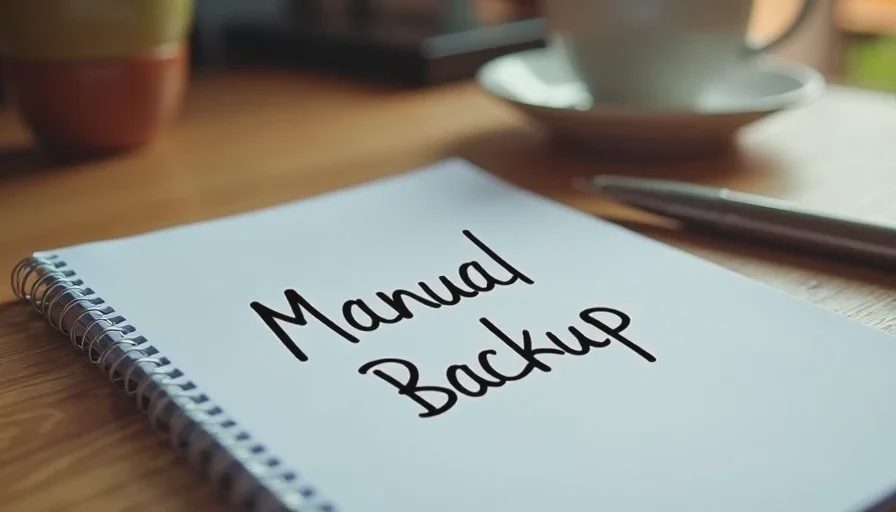
Months earlier, when I first set up the automation, I had written a short plain-language version of the same process. It lived in a single note titled with the name of the automation and the words “manual backup.” It contained:
The exact steps to produce the decision log by hand
Where the finished note needed to go
The minimum fields required so the output stayed consistent with previous ones
The entire backup fit on half a page. It required no special tools and no recovery of the broken connection. When the automation failed, I opened the note and followed the steps. The follow-ups went out the same day. The work continued.
The backup was not elegant. It was fast enough and clear enough to use under pressure. That was the only standard that mattered in the moment.
Why Most Backups Fail When They Are Needed
I have seen (and previously built) backups that looked thorough and then failed in practice. They share a few traits:
They assume the person has time to reconstruct context
They live in a location that is hard to find quickly
They require the same tools or permissions that just failed
They are longer than the original process
A backup that is harder to execute than simply reinventing the process under pressure is not a backup. It is documentation theater. The version that helped me that week was short, independent of the broken chain, and written for a tired version of myself rather than an idealized one.
What the Failure Taught Me About Automation
The episode clarified several operating rules I now apply more consistently.
Automate only what you can also do manually in under ten minutes
If the manual path is long or complicated, the automation becomes a single point of failure that is expensive to work around. Keeping the manual version short makes the automation safer to rely on.
Write the backup while the process is still fresh
The best time to document the manual path is when you still understand every step. Waiting until after a failure means reconstructing knowledge under stress.
Store the backup where you will actually look
A note that lives inside the same system that just failed is less useful than one that lives in a simple, always-available location. Mine sits in the same lightweight notes surface I already use for reference items.
Test the backup once under mild pressure
I now occasionally run the manual version on purpose, even when the automation is working. The goal is to confirm that the instructions are still clear and complete. A backup that has never been executed is only a theory.
These rules are modest. They are also the reason the next failure is less likely to disrupt a full week.

How This Shows Up in Client Work
Small teams often build automations and integrations that work well until one dependency changes. The recovery cost is frequently higher than expected because no one documented a lightweight manual path. Status updates stall. Follow-ups slip. The team spends the emergency time rebuilding the automation instead of simply completing the work another way.
When I help teams evaluate new automations, I now ask for the manual backup first. If they cannot describe a short, tool-independent way to achieve the same outcome, the automation is riskier than it appears. The question is not whether the happy path works. The question is what happens on the Tuesday the happy path disappears.
The Emotional Side of Broken Automation
There is a particular frustration that comes with a system you trusted quietly failing. It is easy to interpret the break as evidence that automation is unreliable or that the setup was foolish. A more useful interpretation is that every automation carries a residual risk, and the quality of the backup determines whether that risk is manageable.
The week the automation broke did not make me abandon automation. It made me more deliberate about which processes deserve it and how thoroughly the fallback is prepared. The work still got done. That remains the only outcome that mattered.
Will This Still Work on Tuesday?
The automation eventually got fixed. The more important change is that the backup plan is now treated as part of the system rather than an afterthought. On any future Tuesday when a similar break occurs, the path to continuing the work is already written, short, and independent of the failed component.
Elaborate recovery plans look responsible. Short, usable ones are what actually get used when the day is already full. The week my automation broke simply made that distinction impossible to ignore.
Make it useful. Make it human. Make it survive Tuesday.




No comments yet — be the first to share a thought.