Meeting transcription sounds like the kind of productivity upgrade that should immediately solve everything. Record the call, get a transcript, send a summary, and move on. In practice, meeting transcription is more useful when it removes one specific piece of friction: remembering what was decided after everyone has already opened their next five tabs.
I started paying closer attention to this after a client meeting where three people remembered the decision differently. Nobody was being careless. One person was taking notes, another was presenting, and I was trying to listen while watching the clock for school pickup. The meeting ended with agreement in the room and confusion in the follow-up email.
A good transcript would not have made us smarter. It would have given us a shared record. That distinction matters. The goal is not to create a perfect archive of every sentence. The goal is to make decisions, owners, deadlines, and unresolved questions easier to find.
What meeting transcription is actually good for
The strongest use case is reducing memory work. A transcript can capture the exact wording of a decision, preserve context around a customer request, and help someone who missed the call catch up without demanding another thirty-minute explanation. It is especially useful for project reviews, interviews, research calls, sales discovery, and recurring team meetings where details tend to blur together.
Meeting transcription is also helpful when the conversation contains several threads. Imagine a product call that covers a bug, a launch date, a pricing question, and a request from support. A short summary might mention all four topics but leave out who owns each next step. Reviewing the transcript lets you verify the details before turning the conversation into tasks.
That does not mean every meeting deserves a recording. A ten-minute check-in about lunch coverage probably does not need one. Neither does a conversation involving sensitive personal information unless everyone understands how the recording will be handled. More documentation is not automatically better documentation.
A simple workflow that does not create more work
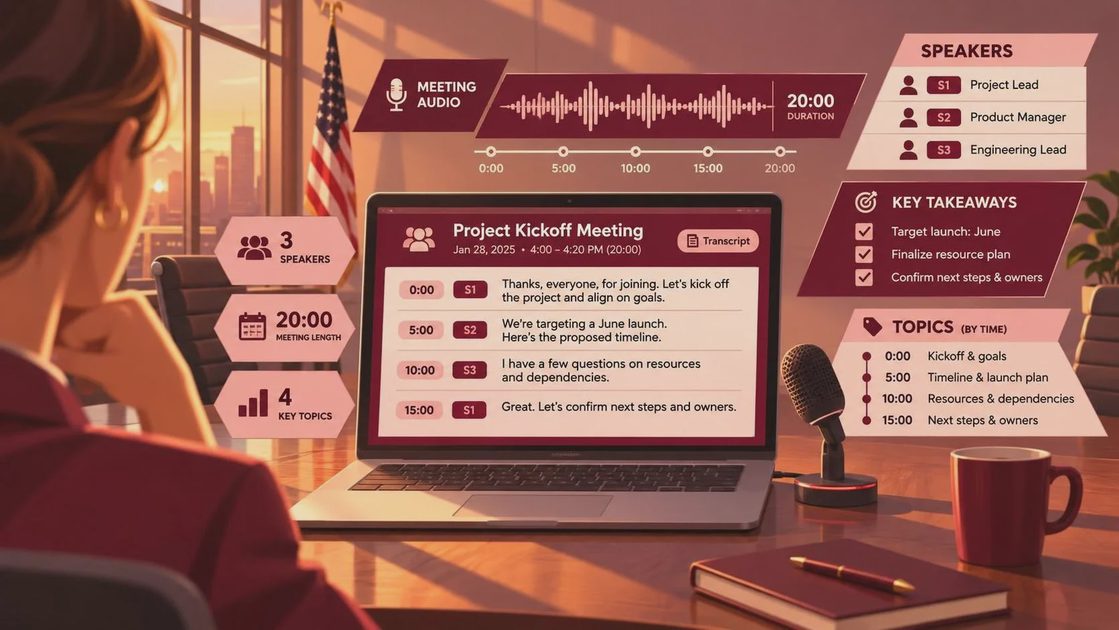
Before the meeting, decide what you want to retrieve later. If the answer is “the whole conversation,” the process is already too vague. Choose a useful output such as decisions, action items, risks, customer language, or questions that need research.
During the call, tell participants that the conversation is being recorded or transcribed, and follow your workplace policy and applicable consent requirements. Some people become more careful when recording starts; others become less willing to speak freely. That tradeoff deserves an honest conversation, not a hidden browser extension.
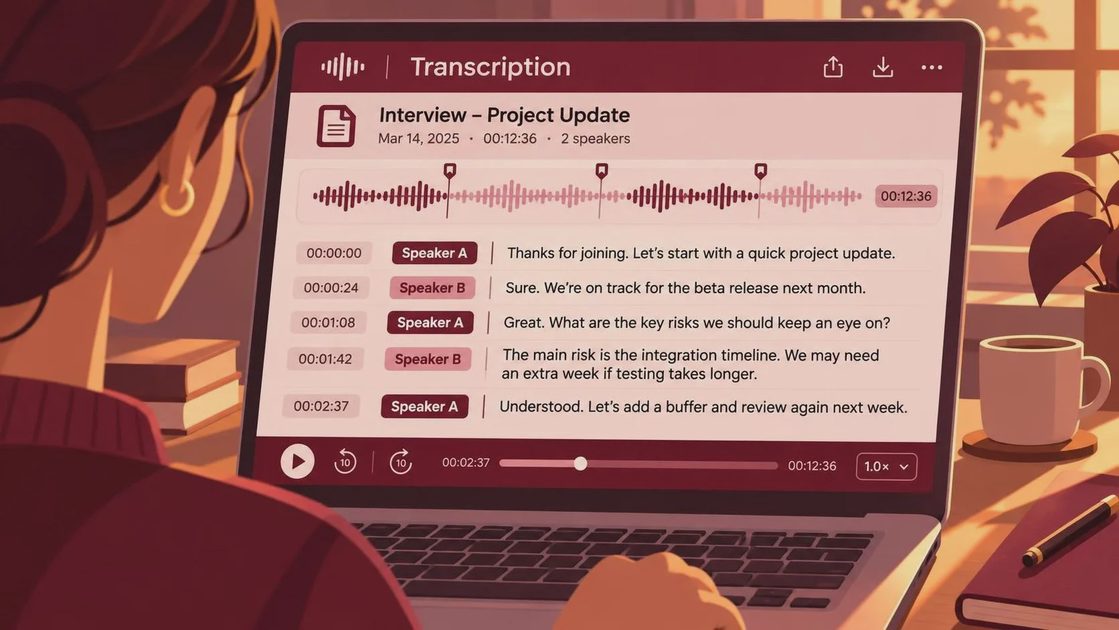
Afterward, do not paste the entire transcript into a team channel. First, review the generated summary against the source. Automatic tools can confuse speakers, mishear names, and turn uncertainty into confident-sounding prose. A sentence such as “we could launch Friday” can easily become “we will launch Friday.” Those are different commitments.
Then create a compact record with four parts: decisions made, actions and owners, open questions, and important context. Keep the transcript linked or stored separately. The summary is for movement; the full record is for checking what actually happened.
Choosing a tool without starting a software hobby
The best meeting transcription tool is usually the one that fits the meetings you already have. Zoom, Microsoft Teams, and Google Meet all offer built-in recording or transcription features in some plans. Dedicated tools such as Otter.ai, Fireflies.ai, and Fathom focus more heavily on meeting capture, searchable notes, and automated summaries. Their usefulness depends on your meeting platform, privacy requirements, budget, and tolerance for another account.
For an individual consultant, a lightweight tool that handles occasional calls may be enough. A small team might value shared folders, speaker identification, integrations with Slack or project tools, and controls for retention. An enterprise team should ask harder questions about data storage, access permissions, administrator controls, model training policies, and whether recordings can be deleted reliably.
Price is only one part of the calculation. A $20-per-month application is not cheap if it creates an hour of cleanup every week. Conversely, a paid plan can be reasonable if it saves a project manager from reconstructing decisions across email, chat, and three sets of handwritten notes.
I test tools against ordinary failure points: someone joins late, two people speak at once, a child interrupts, the meeting runs over, or the call switches from laptop audio to a phone. A polished demo is not enough. The system needs to produce usable notes when the day is already messy.
Privacy and accuracy are part of the workflow
Meeting transcription creates a record of people’s words, and that record can contain customer information, contract details, employee concerns, or product plans. Tell participants what is being captured, where it will be stored, who can access it, and how long it will remain available. If a person objects, pause and decide whether the meeting can continue without recording.
Accuracy needs a human checkpoint too. Names, acronyms, numbers, and technical terms are common trouble spots. A transcript might turn “Q3” into “cute three” or mistake a client’s company name for an ordinary word. Use the audio and your own notes to verify anything that affects money, deadlines, safety, or responsibility.
I also avoid using an automated summary as the only source for a difficult personnel conversation, legal discussion, or emotionally sensitive exchange. These situations need judgment and care that a generated summary cannot supply. Meeting transcription can support the record, but it should not replace responsible participation.
Turning transcripts into action
A transcript becomes valuable when it changes what happens next. At the end of a call, ask one plain question: “What do we need to do because of this conversation?” Capture the answer while the context is still fresh. If the tool produces action items automatically, compare them with what people actually agreed to do.
A practical template might read: “Decision: postpone the release until the billing test passes. Owner: Morgan. Due: Thursday. Open question: whether support needs a customer notice.” That is far more useful than a paragraph labeled “meeting summary.” It gives a future reader a way to act without replaying forty-five minutes of discussion.
For recurring meetings, create a consistent destination for these records. A project page, shared document, or task system works better than leaving summaries scattered across personal inboxes. Search is helpful, but predictable storage is what lets a tired person find the answer later.
When meeting transcription is not worth it
Skip it when the administrative cost exceeds the benefit. If you have to remind everyone to join the correct bot, rename every speaker, fix a poor transcript, export a summary, and manually copy tasks into another system, the workflow may be making the meeting worse.
It is also unnecessary for conversations that are already short and naturally documented. A two-minute voice message followed by one clear task does not need an AI pipeline. Sometimes the better system is simply writing “I will send the revised estimate by Friday” in the shared project thread.
The useful question is not whether you can transcribe every meeting. It is whether a reliable record will prevent repeat explanations, missed commitments, or avoidable disagreement. Start with one recurring meeting, measure the cleanup time, and adjust from there.
Meeting transcription works best as a quiet support layer, not a performance of being organized. Use it to preserve the parts of work your memory cannot safely carry, review what the software got wrong, and keep the final notes small enough that someone will read them. Make it useful. Make it human. Make it survive Tuesday.




No comments yet — be the first to share a thought.